UNC Greensboro will complete the main campus chilled water loop in multiple phases and aims to have all improvements completed in early 2025. Some streets, pedestrian paths, and parking spots will be unavailable as construction moves across campus.
The chilled water loop project will connect Mossman Building, Elliot University Center, Walker Avenue Parking Deck, and Bryan Building to the loop. These buildings are currently supported by self-contained systems. The loop will increase air conditioning capacity, reliability, and provide efficiencies that will reduce energy costs and the campus carbon footprint. During this project, contractors will also replace the Mossman Building’s roof.
Construction will begin the week after Spring 2024 Commencement.
Note: All dates are current best estimates and will be updated regularly as conditions change.
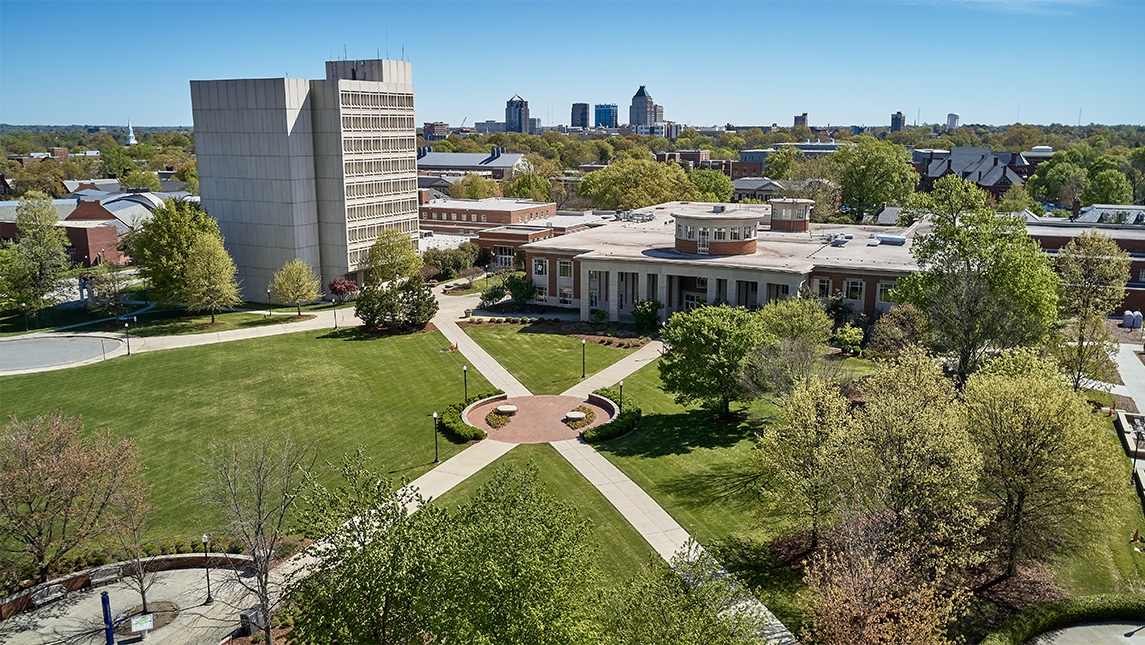
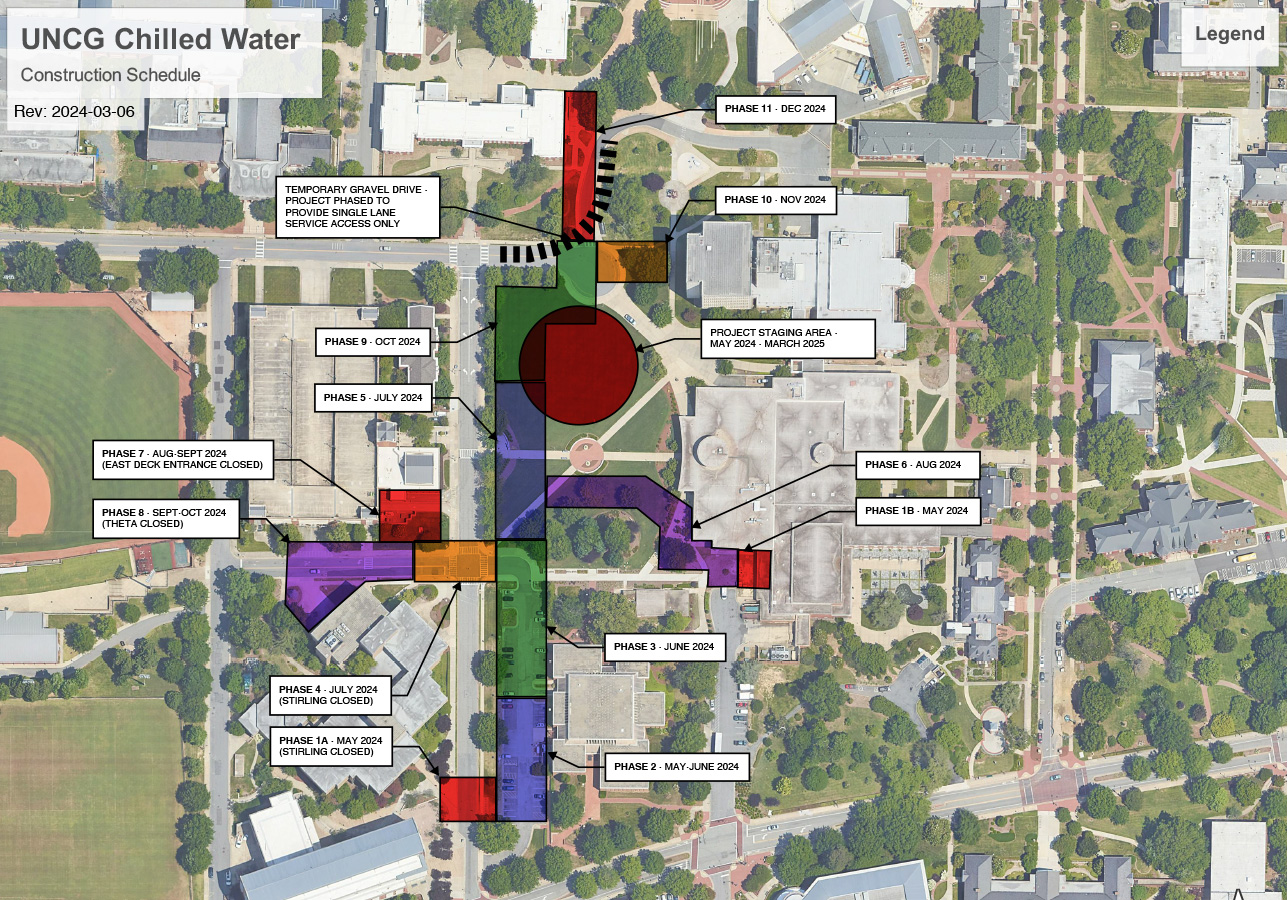
The Construction Mobilization and Staging Area for materials and contractor access will go in the Northern Section of Kaplan Commons. It will be fenced in only through May 2024-March 2025 but remain through the Jackson Library Renovation project with its anticipated completion in December 2027.
This map illustrates the sections of underground piping and building connections per the baseline construction schedule. Accessible pedestrian paths will be maintained with clear and visible signage demarcating pathways. Drivers will be rerouted as necessary at each phase.
Phase 1A: May 2024
The south end of Stirling Street will be closed and fenced off on May 6, a few yards north of the south entrance to Mossman parking lot. Walker Parking Deck’s Stirling Street entrance will be accessible via Theta Street. Through the summer, Mossman Parking Lot will also be partially occupied by contractors replacing the Mossman Building roof.
Mossman lot permit holders and guests will be contacted by POCAM and apprised of changes and selection of available parking locations for Summer 2024. A minimum number of accessible spaces, and guest parking will be maintained in the northeast corner of the Mossman lot.
Phase 1B:
Preliminary work will start on a chilled water entry into the EUC mechanical room. The EUC loading dock area will remain open, but there will be additional construction traffic in this area.
Phase 2: May-June 2024
Stirling Street will re-open. Chilled water construction activity will move to the south end of Mossman Parking Lot. Mossman roof replacement construction will require access to the north end of Mossman lot for material staging and equipment for transporting materials.
Phase 3: June 2024
Stirling Street will remain open. All chilled water construction will be occurring in the north end of Mossman Parking Lot and the roofing contractor will be occupying the south end of the lot. Mossman lot permit holders and guests will be apprised of available parking locations. A minimum number of accessible spaces, and guest parking will be maintained in the southeast corner of the Mossman lot for the remainder of the Summer.
Phase 4: July 2024
Stirling Street, Theta Street from the Walker Deck entrance to Stirling Street, and Mossman Parking Lot will be closed. Mossman Lot permit holders and guests will be apprised of available parking locations. Walker Deck will be accessible from Theta Street and Walker Avenue.
Phase 5: July 2024
Mossman Parking Lot will remain closed to allow the roofing contractor to finish construction. Walkways between Stirling Street and EUC will be closed. Stirling Street will remain closed at Theta, and Theta will also remain closed.
Phase 6: August 2024
The diagonal walkway between the Kaplan Commons pedestrian circle and Theta Street will be closed. The south half of the EUC patio area will be closed. Theta and Stirling streets and the Mossman Parking Lot will re-open.
Phase 7: August-September 2024
The entrance and exit to Walker Deck connecting with Stirling Street will be closed. Theta and Stirling Streets will remain open in August. Theta will close again in September.
Phase 8: September-October 2024
Theta Street remains closed and the Theta Street entrance/exit to Walker Deck will close. Stirling Street will be open.
Phase 9: Late October 2024
Theta Street and Walker Deck will re-open for the remainder of the project. Walker Avenue Circle will have one lane open only for essential deliveries at the Library tower and Moran. All bus services, including the Spartan Chariots, will have their stops relocated from the circle to Stirling Street.
Phase 10: November 2024
Spartan Chariot bus service will continue to be relocated to Stirling Street. Deliveries through the traffic circle will remain one lane only on a limited basis.
Phase 11: December 2024
Pedestrian traffic from Shaw and the Quad will be detoured around the normal path on the southeast corner of the quad. Deliveries to Moran and the library will remain on a limited one lane basis. Spartan Chariot bus service will remain relocated to Stirling Street.
Final landscaping will occur in Spring 2025 when the weather will be more conducive to good plant growth.